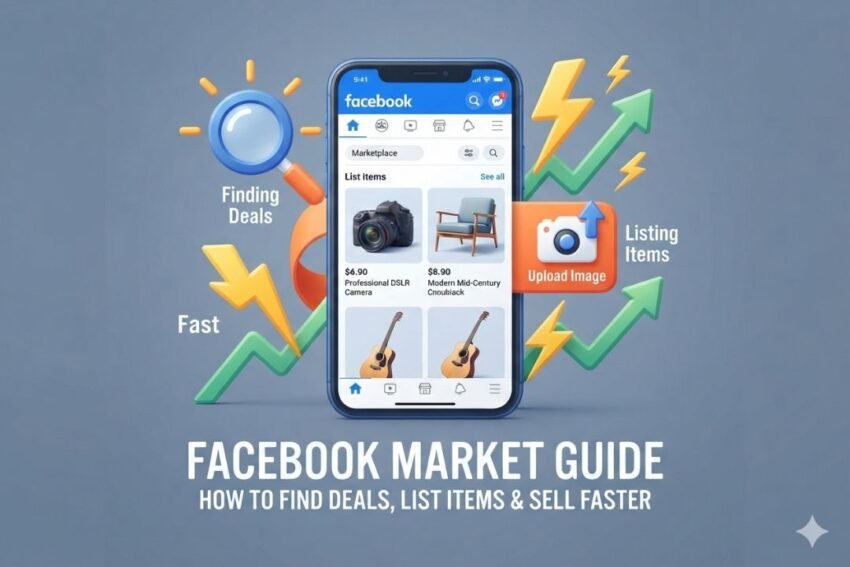
Buying and selling used or new products online has become easier than ever. One of the most popular places for local online shopping is Facebook Marketplace. It allows people to discover products near them, compare prices, contact sellers, and sell unwanted items without building an online store.
Whether you are looking for furniture, electronics, clothing, cars, home appliances, or everyday products, Facebook Marketplace can be a useful place to find deals. Sellers can also use the platform to turn unused items into extra cash.
In this Facebook Market Guide, we will explain how to find good deals, create better listings, communicate with buyers, set competitive prices, and sell items faster.
What Is Facebook Marketplace?
Facebook Marketplace is an online marketplace connected to Facebook. It lets users list products for sale and search for products offered by other people and businesses.
Unlike traditional e-commerce websites, Marketplace is strongly focused on local buying and selling. Depending on the product, location, and available features, buyers may arrange a local pickup or use available shipping options.
Popular categories include:
- Electronics
- Furniture
- Cars and vehicles
- Clothing and accessories
- Home appliances
- Mobile phones
- Computers and laptops
- Baby products
- Sports equipment
- Tools
- Home and garden products
- Collectibles
- Free items
The platform is particularly useful for people who want to sell items they no longer need or find products at prices below typical retail prices.
Why Do People Use Facebook Marketplace?
There are several reasons why Facebook Marketplace has become popular among online buyers and sellers.
First, Facebook already has a large user base. Many people can browse Marketplace without creating a completely separate shopping account.
Second, Marketplace makes it easy to search for products based on location. This can be helpful when someone wants to purchase a large item such as a sofa, table, refrigerator, or exercise machine.
Another advantage is the variety of listings. You can find both brand-new and second-hand products. Some sellers are individuals clearing out their homes, while others may operate small businesses.
For buyers, this creates opportunities to compare different listings and negotiate prices.
How to Find the Best Deals on Facebook Marketplace
Finding a good deal requires more than simply searching for the cheapest listing. A low price does not always mean a good purchase.
Here are some useful strategies.
1. Use Specific Search Terms
Start with a clear search phrase instead of a very broad keyword.
For example, instead of searching for:
Laptop
try:
Dell XPS 13 2024
or:
Used MacBook Air M2
Specific searches can help you find products that match your requirements.
You can also try different words. A seller may describe the same product as “used,” “pre-owned,” “second-hand,” or “like new.”
2. Check Nearby Listings
If you prefer local pickup, look at listings close to your location.
Buying locally can reduce delivery costs and make it easier to inspect the product before completing the purchase.
This is especially useful for furniture, appliances, bicycles, exercise equipment, and other large products.
3. Compare Multiple Listings
Do not immediately buy the first item you see.
Open several similar listings and compare:
- Price
- Condition
- Brand
- Age
- Photos
- Seller information
- Included accessories
- Location
- Delivery or pickup options
For example, if five similar smartphones are listed between $250 and $300, a listing priced at $150 deserves additional questions before you decide to buy it.
4. Look at Older Listings
Sometimes sellers reduce prices when an item has been listed for a while.
A seller may be more willing to negotiate if they have not found a buyer after several days or weeks.
However, always check the item’s condition before negotiating.
5. Search During Different Times
Marketplace listings are constantly changing. New products can appear throughout the day.
If you are looking for a specific item, checking Marketplace regularly may help you discover new listings before other buyers contact the seller.
How to Check a Facebook Marketplace Listing
A good-looking listing can still have problems. Before purchasing, carefully review the information provided by the seller.
Check the Photos
Look closely at all available photos.
For used products, inspect pictures for:
- Scratches
- Cracks
- Stains
- Missing parts
- Signs of repair
- Damage
- Wear and tear
If important areas are not shown, ask the seller for additional photos.
Read the Description
The description should explain the item’s condition and important features.
For electronics, check details such as the model, storage capacity, battery condition, accessories, and warranty status if applicable.
For furniture, check dimensions, material, age, and condition.
Ask Questions
Do not be afraid to ask questions before meeting the seller.
For example:
“Is everything working properly?”
“How old is the item?”
“Are there any defects?”
“Do you still have the original accessories?”
“Why are you selling it?”
Clear questions can help you avoid misunderstandings.
How to Create a Facebook Marketplace Listing
If you want to sell something, creating a strong listing is one of the most important steps.
A good listing should be clear, honest, and easy to understand.
Choose the Right Category
Select the category that best matches your product.
Choosing the correct category can help relevant buyers discover your listing.
For example, a laptop should be placed under the appropriate electronics or computer category rather than a general category.
Use High-Quality Photos
Photos are one of the first things buyers notice.
Take clear pictures in good lighting. Use several angles so potential buyers can understand the product’s condition.
For used products, do not hide damage.
Showing scratches or other imperfections can actually make your listing more trustworthy because buyers know what they are getting.
Write a Clear Title
Your title should describe the product using important details.
Instead of:
Laptop for Sale
use something more specific, such as:
Dell Inspiron 15 Laptop – 16GB RAM, 512GB SSD
A descriptive title can help the right buyers understand the listing immediately.
Write a Useful Description
Your description should answer common buyer questions.
Include:
- Product name
- Brand
- Model
- Condition
- Age
- Main features
- Included accessories
- Reason for selling, if useful
- Pickup or delivery information
- Price
Keep the information accurate. Avoid making claims that you cannot prove.
How to Set the Right Facebook Marketplace Price
Pricing can make a major difference in how quickly an item sells.
Start by researching similar listings. Look at several products with similar condition and specifications.
For example, if similar used laptops are selling around $400, listing yours at $800 may result in fewer inquiries unless your product has significant advantages.
At the same time, you do not necessarily need to choose the lowest price.
Consider the product’s:
- Condition
- Brand
- Age
- Demand
- Accessories
- Original price
- Local competition
Some sellers also leave a small amount of room for negotiation.
For example, if you would be comfortable accepting $200, you might list the item at $220 and clearly state that the price is negotiable.
How to Sell Faster on Facebook Marketplace
Selling quickly is usually about making the listing easy for buyers to understand.
Use Accurate Information
Incorrect descriptions can lead to wasted time and unhappy buyers.
Be honest about the condition, age, and functionality of your product.
Respond Quickly
Interested buyers may contact several sellers at the same time.
A quick and polite response can help keep the conversation active.
You do not need to write a long message. A simple response confirming availability can be enough to start.
Keep Your Listing Updated
If something changes, update your listing.
For example, if you reduce the price, mention the new price clearly. If the item has been sold, remove or update the listing according to the platform’s available options.
Make Pickup Details Clear
If you are selling locally, explain your preferred pickup arrangement.
For privacy and safety, avoid unnecessarily sharing personal information publicly in the listing.
How to Negotiate on Facebook Marketplace
Negotiation is common on second-hand marketplaces.
As a buyer, you can make a reasonable offer instead of simply asking:
“Lowest?”
A better approach is to make a specific and respectful offer.
For example:
“Would you consider $180 if I can pick it up today?”
As a seller, decide your minimum acceptable price before negotiations begin.
You do not have to accept every offer. If an offer is too low, politely decline or provide a counteroffer.
Facebook Marketplace Safety Tips
Online marketplaces can include dishonest listings and scams, so buyers and sellers should use caution.
Meet in a Safe Location
For local transactions, choose a public and well-known location when practical.
Some communities also have designated safe exchange locations.
For expensive purchases, consider bringing another person with you.
Inspect Before Paying
When buying a used product, inspect it before completing the transaction.
For electronics, test important functions when practical.
For vehicles or expensive items, consider getting appropriate professional checks before making a purchase.
Be Careful With Unusual Payment Requests
Be cautious if someone pressures you to use an unfamiliar payment method or asks for sensitive financial information.
Never share passwords, verification codes, or other account security information.
Avoid Deals That Seem Suspicious
An extremely low price can be a warning sign.
Other warning signs may include:
- Pressure to pay immediately
- Requests for unusual deposits
- Fake-looking product photos
- Refusal to provide basic information
- Stories that constantly change
- Requests to move communication outside normal channels
Use your judgment and take your time with expensive purchases.
Facebook Marketplace for Businesses
Marketplace is not only useful for individuals.
Small businesses and local sellers can also use online marketplaces to reach potential customers.
Businesses can list eligible products, communicate with interested buyers, and use social media exposure to attract local customers.
However, businesses should make sure their listings accurately describe products and comply with the platform’s applicable rules.
Facebook Marketplace vs. Traditional Online Stores
Facebook Marketplace and traditional e-commerce websites serve different purposes.
A traditional online store gives a seller more control over branding, website design, customer experience, and product organization.
Marketplace can be easier for local selling because sellers can list products without building a complete online store.
For buyers, Marketplace can provide access to second-hand products and local deals that may not be available through conventional retailers.
Common Mistakes to Avoid
Both buyers and sellers can make mistakes on Marketplace.
Some common mistakes include:
- Buying without checking the product
- Using unclear photos
- Writing very short descriptions
- Setting an unrealistic price
- Ignoring suspicious messages
- Sharing sensitive information
- Meeting in unsafe locations
- Hiding product defects
- Responding too slowly
- Forgetting to update sold listings
Avoiding these mistakes can make the buying and selling process smoother.
Frequently Asked Questions About Facebook Marketplace
Is Facebook Marketplace free?
Marketplace has generally allowed users to create listings without a standard listing fee, but fees or charges can depend on the transaction type, product category, location, and available selling features. Always check the current terms shown by Facebook before completing a transaction.
Can I negotiate prices on Facebook Marketplace?
Yes. Negotiation is common with many second-hand listings. However, sellers decide whether they want to accept or reject an offer.
What sells well on Facebook Marketplace?
Popular categories can include furniture, electronics, vehicles, home products, clothing, tools, sports equipment, and other useful everyday items. Demand varies by location and season.
How can I sell an item faster?
Use clear photos, an accurate title, a detailed description, competitive pricing, and quick responses to serious buyers. Make pickup or delivery information easy to understand.
Is Facebook Marketplace safe?
Marketplace can be useful, but users should take normal online shopping precautions. Verify products, avoid suspicious payment requests, protect personal information, and choose safer meeting arrangements for local transactions.
Final Thoughts
Facebook Marketplace can be a convenient place to find affordable products and sell items you no longer need. Buyers can search for local deals, compare listings, ask questions, and negotiate prices. Sellers can improve their chances of making a sale by using clear photos, accurate descriptions, competitive pricing, and fast communication.
The most important rule is to stay informed and cautious. Do not choose a product simply because it has the lowest price. Check the condition, compare similar listings, communicate clearly, and use sensible safety practices.
For sellers, focus on creating listings that answer buyer questions before they need to ask. A strong title, good photos, honest description, and reasonable price can make a major difference.
Whether you are buying a used laptop in the USA, searching for furniture in the UK, or selling household items in Canada or Australia, the basic principles remain similar: research the market, communicate clearly, compare prices, and prioritize safe transactions.